World of Warcraft: Forever
Cast. Watch.
Reel.
Go Fish finds your bobber, waits for a bite and reels it in for you.
The fishing cycle
From bobber to bite
- Find the bobber
- The addon draws pink brackets around your bobber so Go Fish knows where to look.
- Watch for the bite
- Go Fish watches that small patch of water for a splash. It also listens for the bite when game sounds are on.
- Reel it in
- When a fish bites, Go Fish reels it in, pauses and casts again.
The Windows app
Inside Go Fish
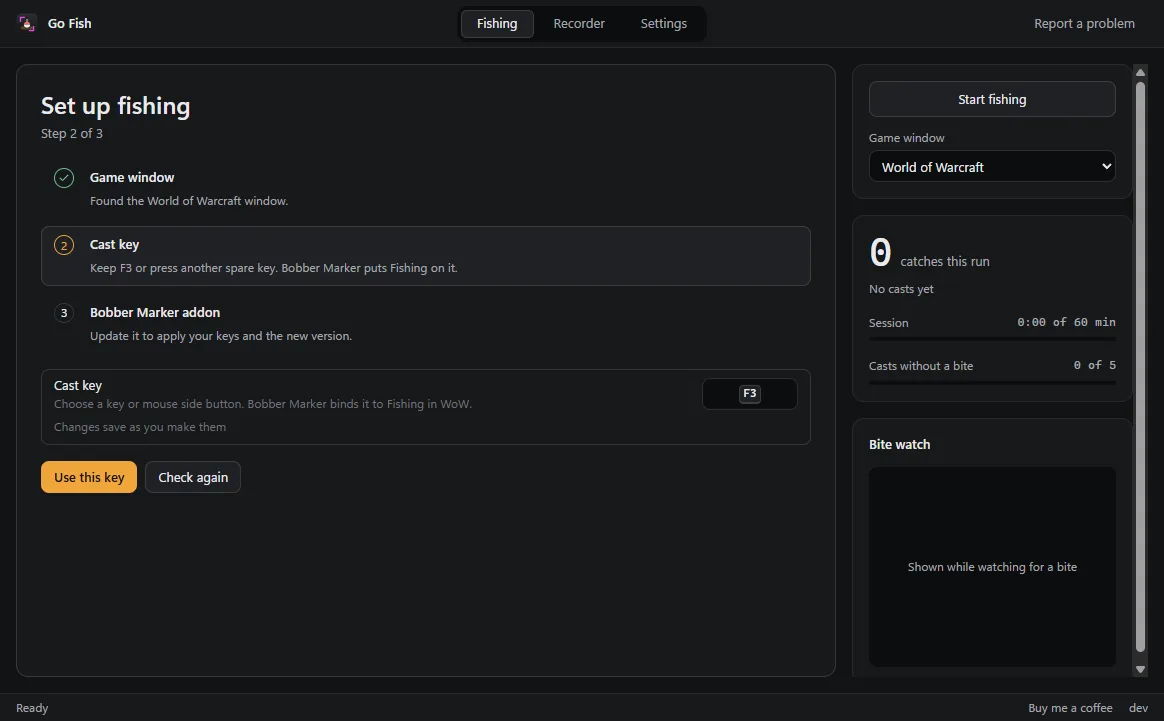
Find the game window and the ESP32 board, confirm your keys and install Bobber Marker.
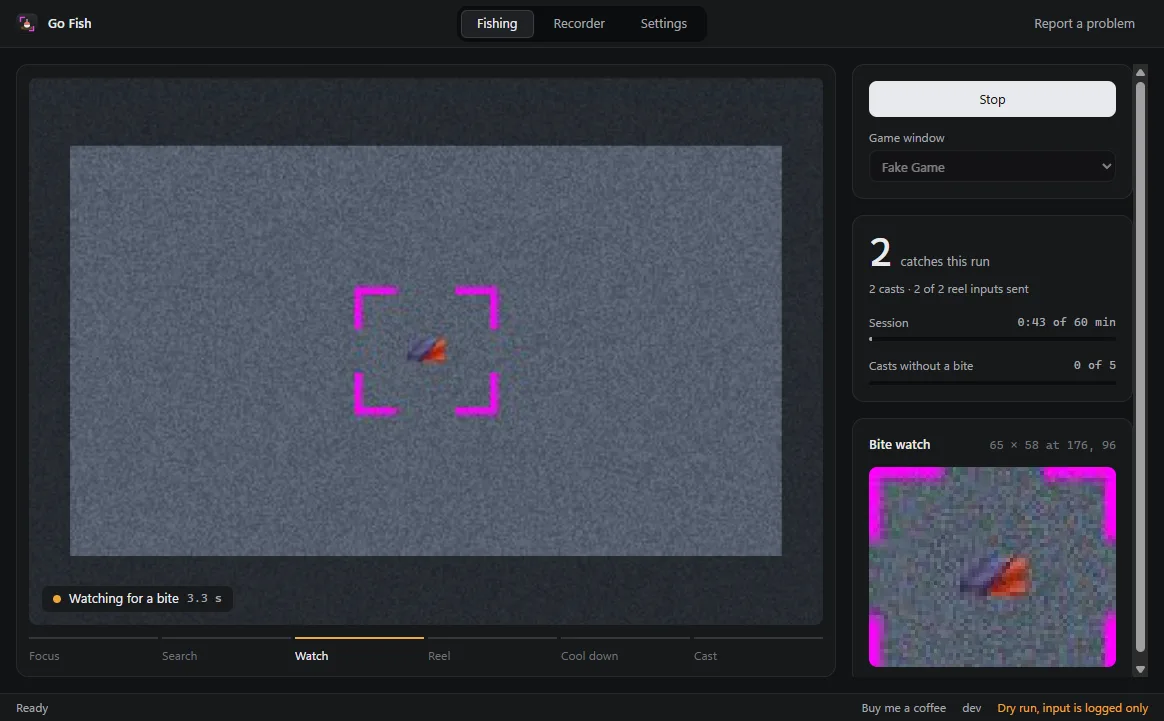
The Fishing view shows the marked bobber, current step and run totals. Shown in a simulator dry run.
Ready for your first cast?
Connect the ESP32
Live fishing requires a paired ESP32 board connected over USB. Download Go Fish, then choose Auto or the board's COM port in Settings.
Install the addon
Confirm your cast key, click Install addon, then type
/reloadin the game.Start fishing
Stand at the water, click Start fishing and switch to the game. Click Stop in Go Fish to end the run.
The player guide